%20(1).png)
How can I redeem my discount code or Gift Card?Updated 8 days ago
Looking to redeem a Gift Card or promotional code?
Desktop Instructions:
1. Add all of your OUAI favorites to your bag.
2. Once all items and samples have been selected, click 'Checkout'.
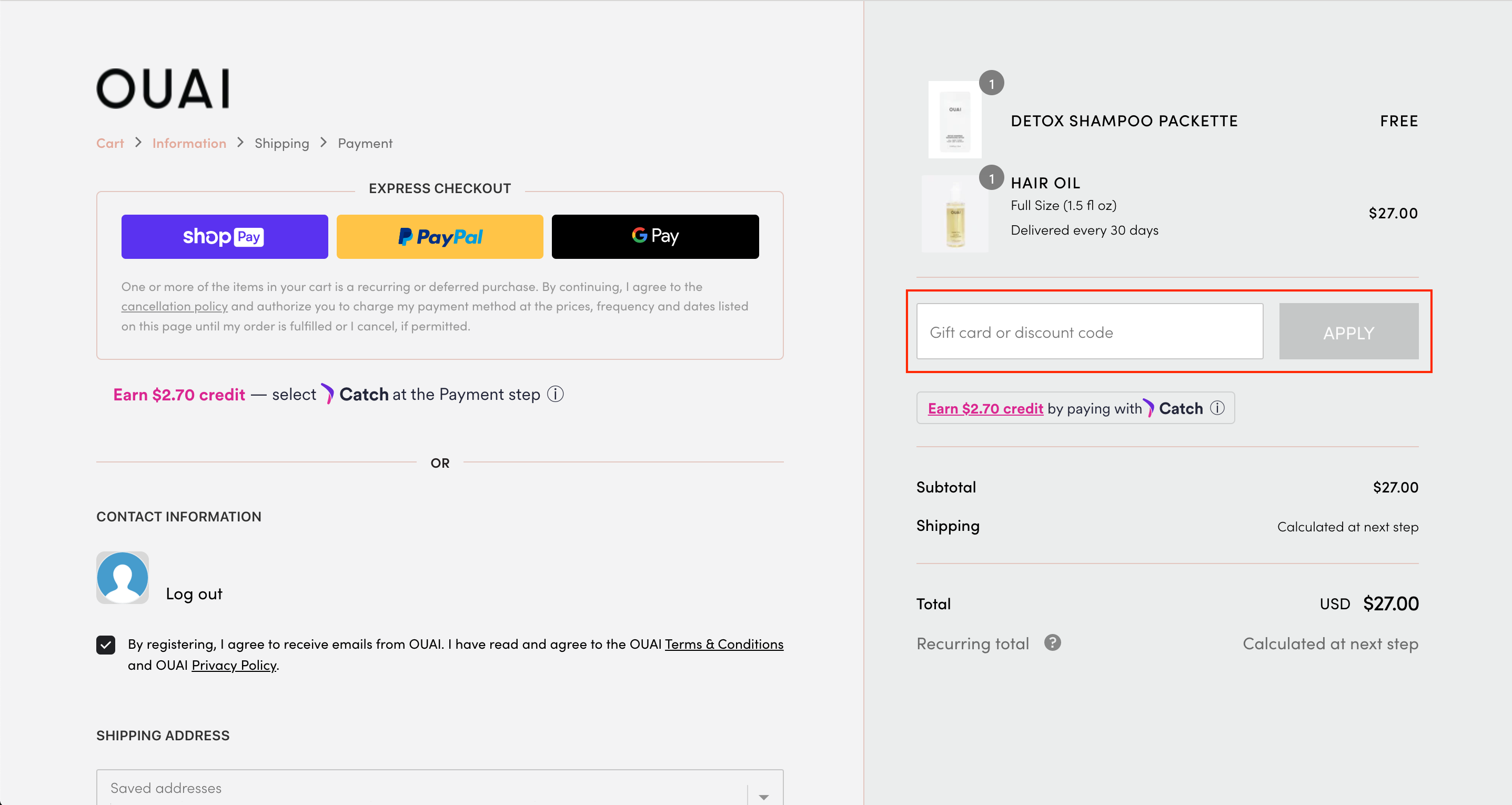
3. Desktop View: On the right-hand side of the checkout screen, you will see a box that states 'Gift Card or discount code' below. Enter your code and click 'Apply' to redeem.
Mobile Instructions:
1. Add all of your OUAI favorites to your bag.
2. Once all items and samples have been selected, click 'Checkout'.
3. On the top of the checkout page, you will see a drop-down arrow that states 'Show order summary".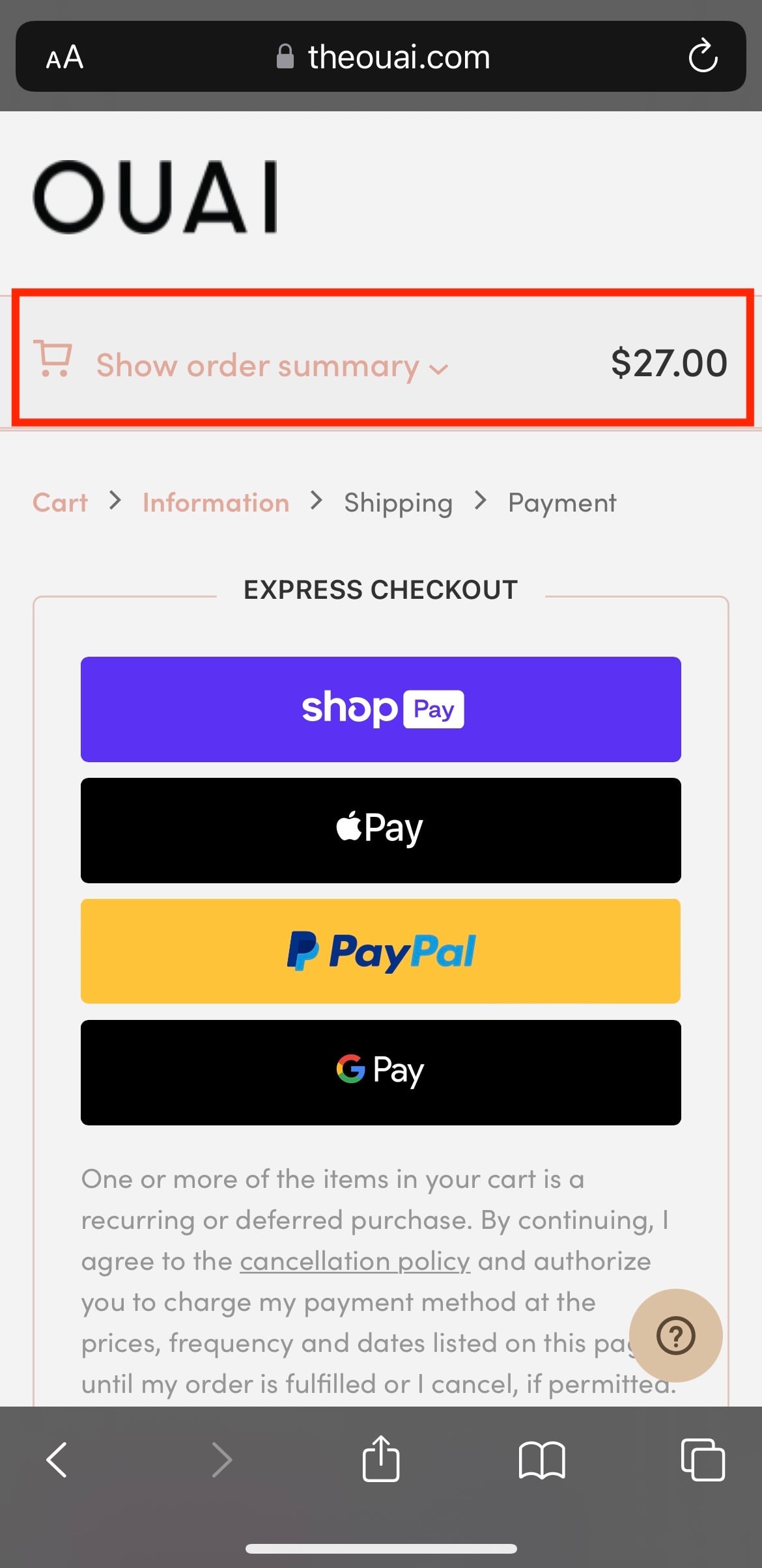
4. Click the drop-down arrow and then input your Gift Card or Discount code in the 'Gift Card or Discount Code' box highlighted below.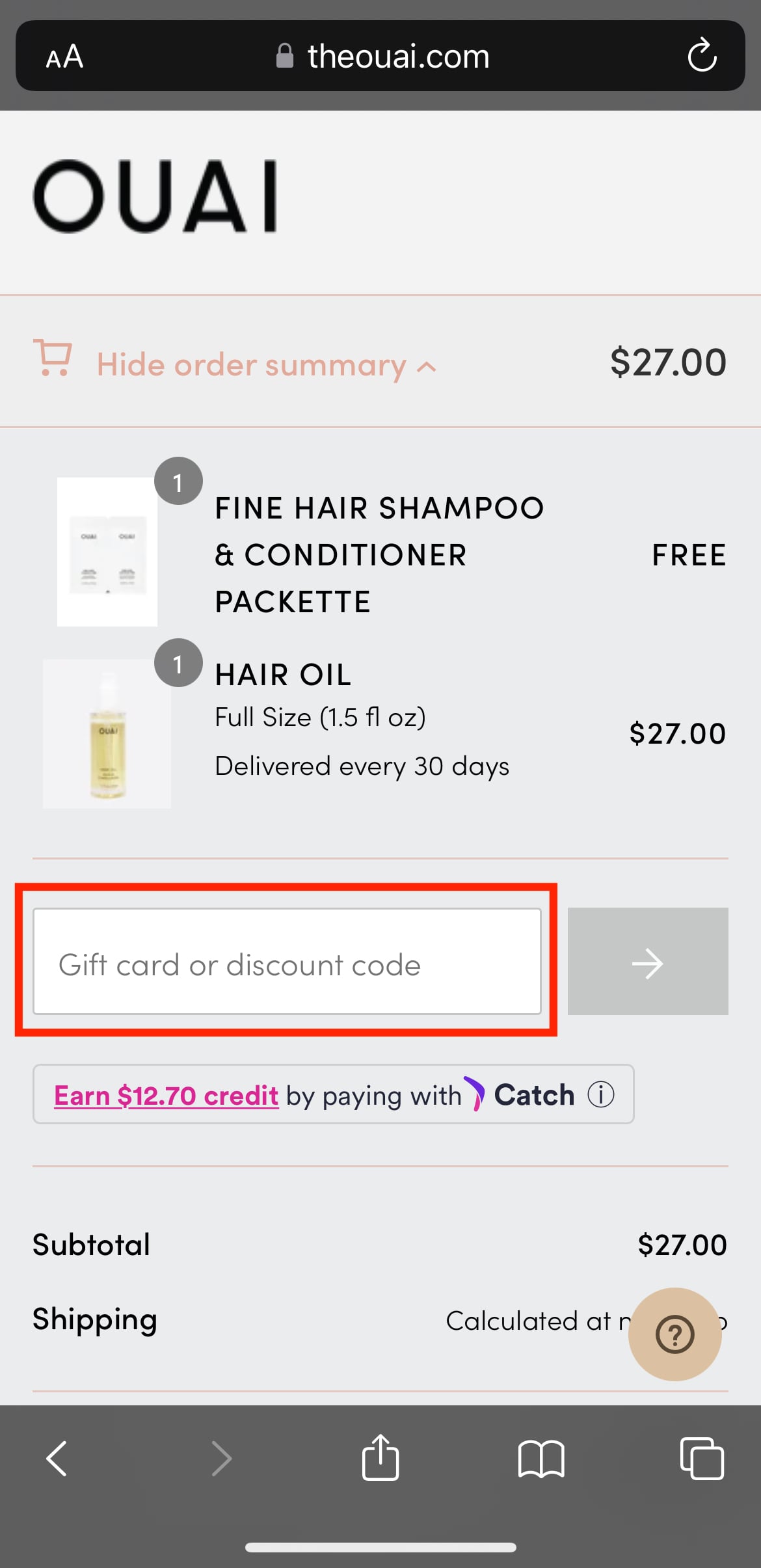
Need help checking your OUAI gift card balance? Provide us with your gift card number and one of our OUAI Experts will happily look into this for you!
**Please note that discount codes may only be used once and cannot be applied to subscription purchases, bundles, merch items, Gift Cards, or combined with any other promotions/store credits.**