%20(1).png)
Can I skip a month of my subscription delivery?Updated a month ago
Yes! Here are the steps needed to skip your monthly subscription delivery below:
1. Log into your OUAI account and then click on 'Subscriptions'.
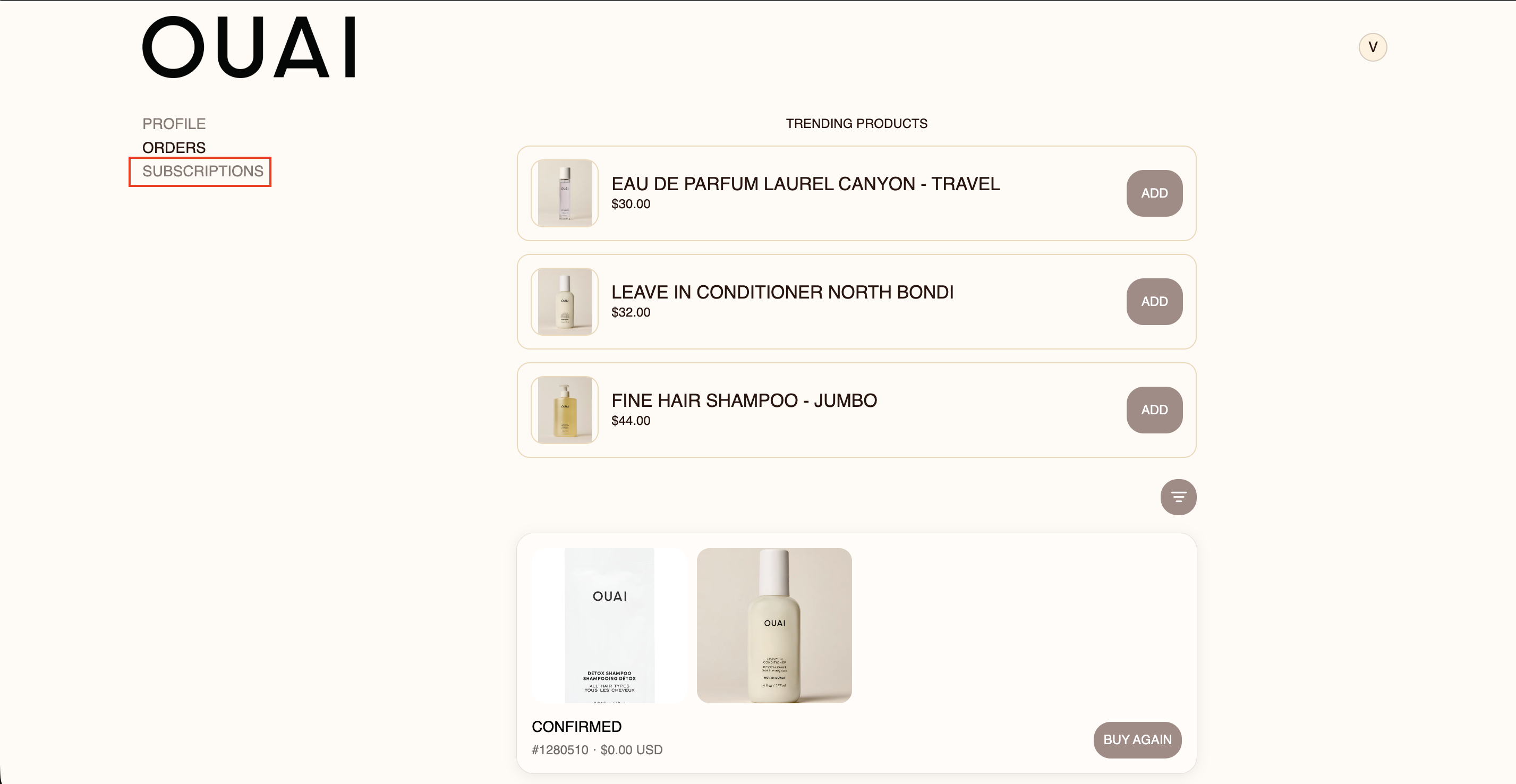
2. Click on "Skip' right above your subscription. 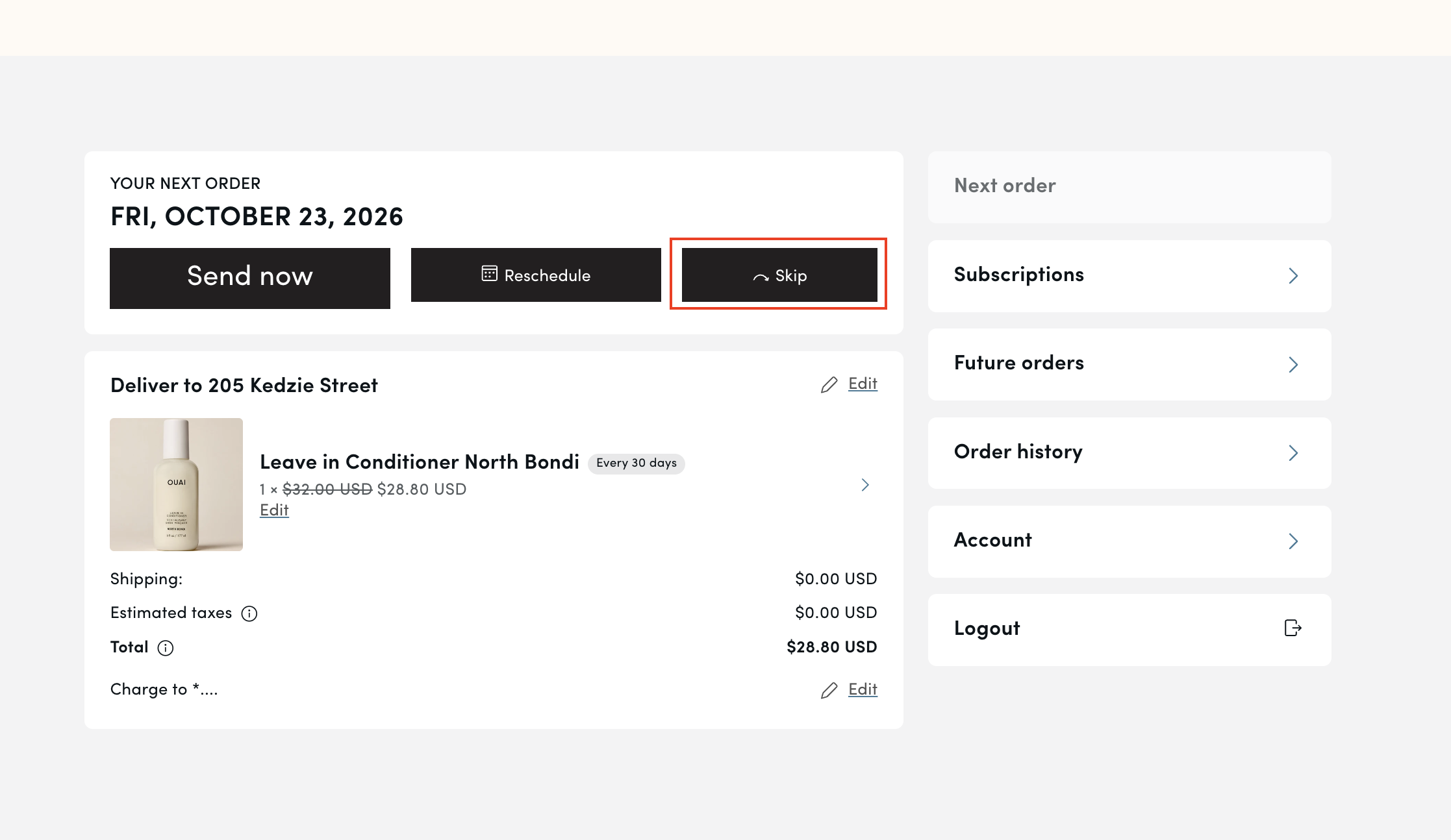
3. If you have multiple subscriptions, you can click on 'Subscriptions' once again on the right-hand toolbar. Then click 'Edit' under the product, you'd like to skip in your next order.
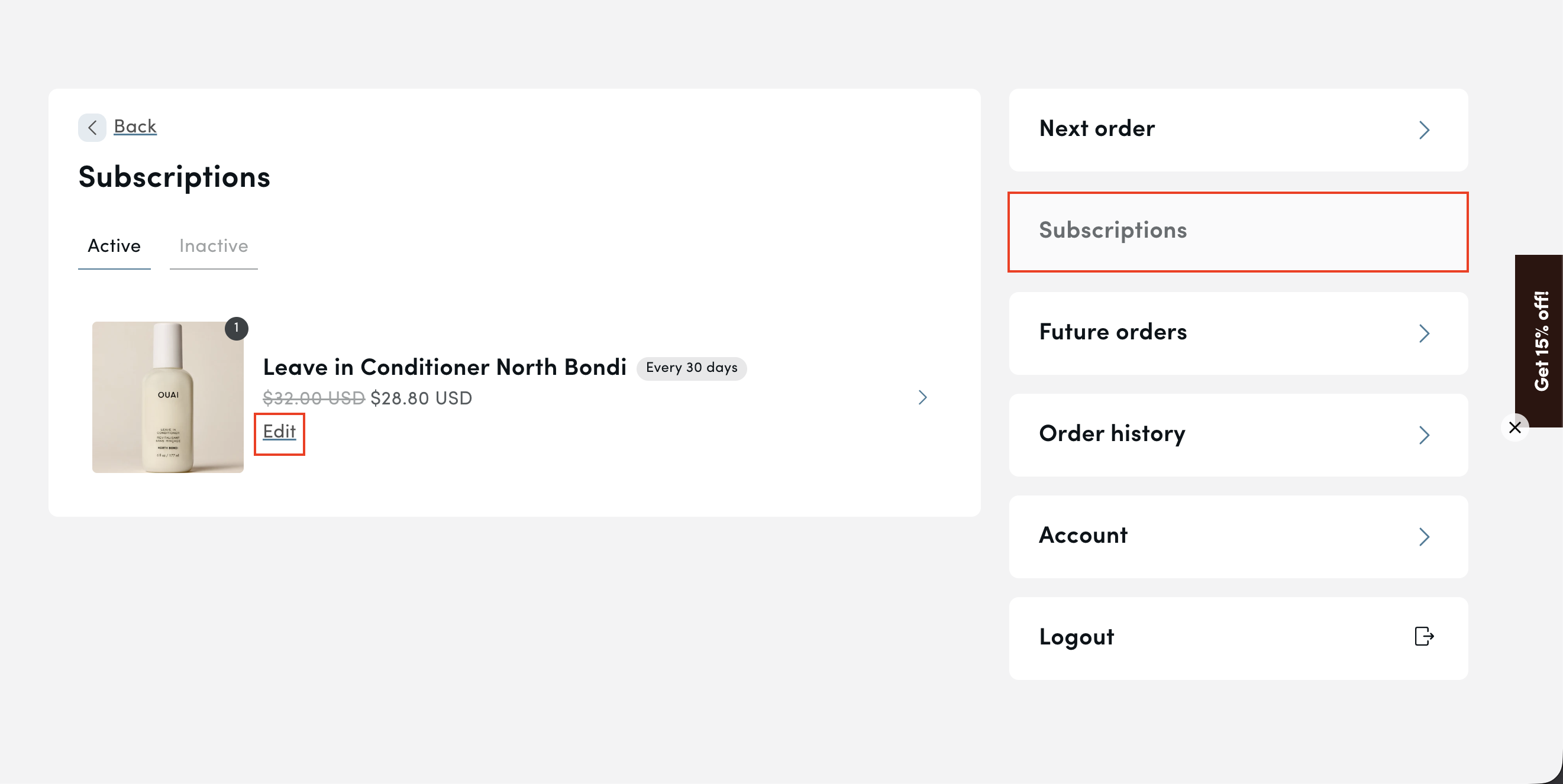
4. You will then have the option to select 'skip' for the specific subscription item you'd like to delay.
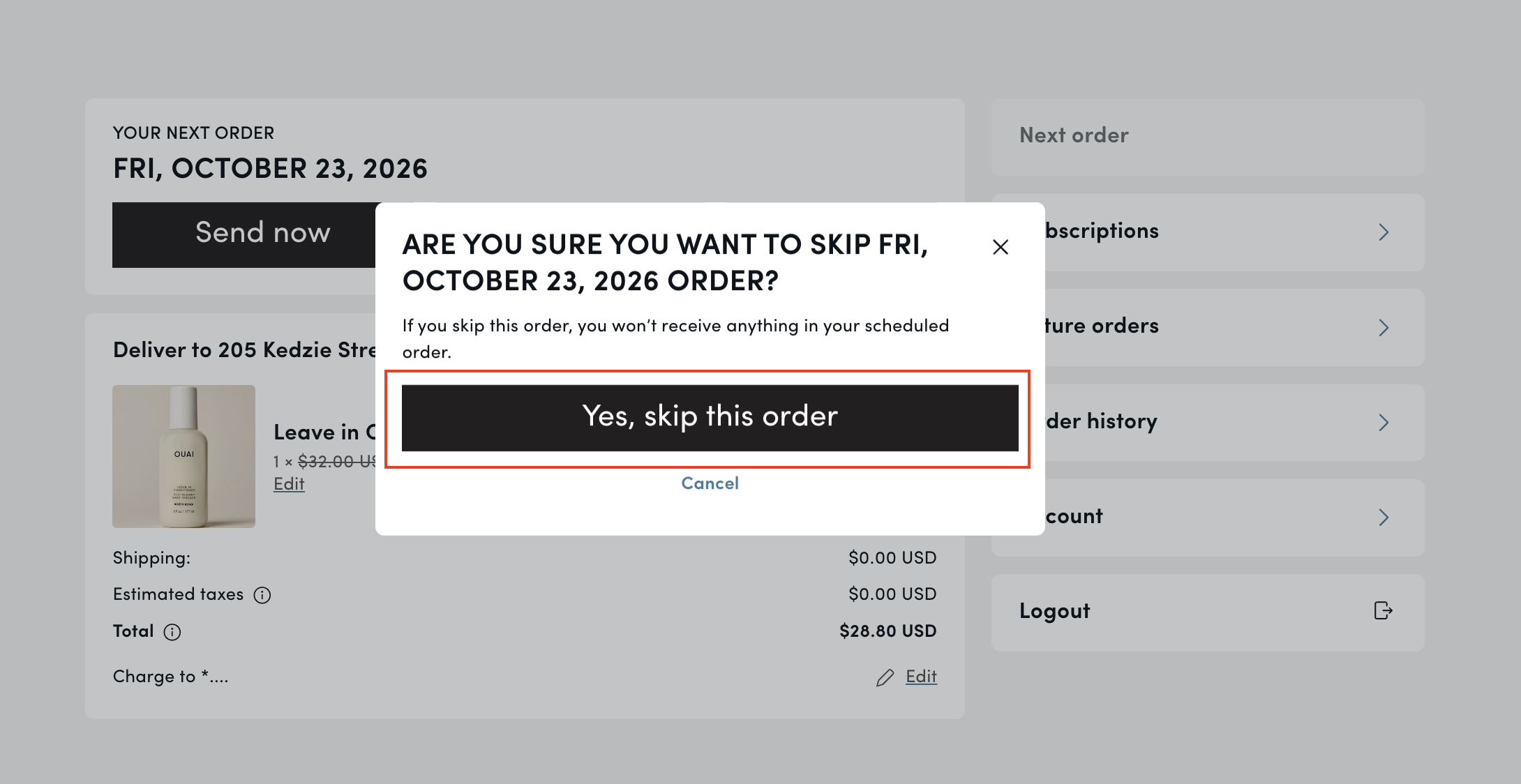
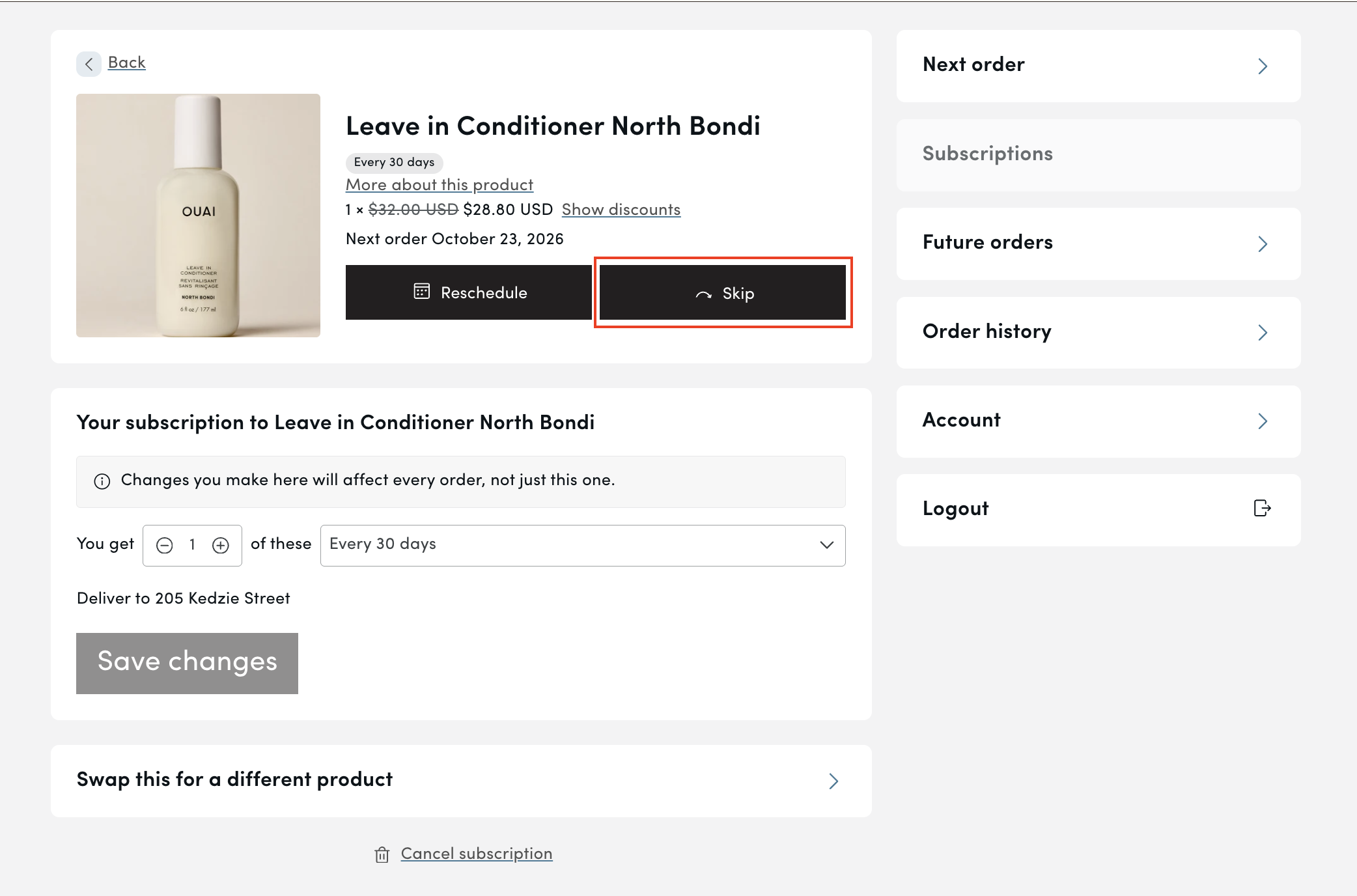 5. Finally, click 'Yes, skip this order' and your order will be skipped until the following subscription cycle.
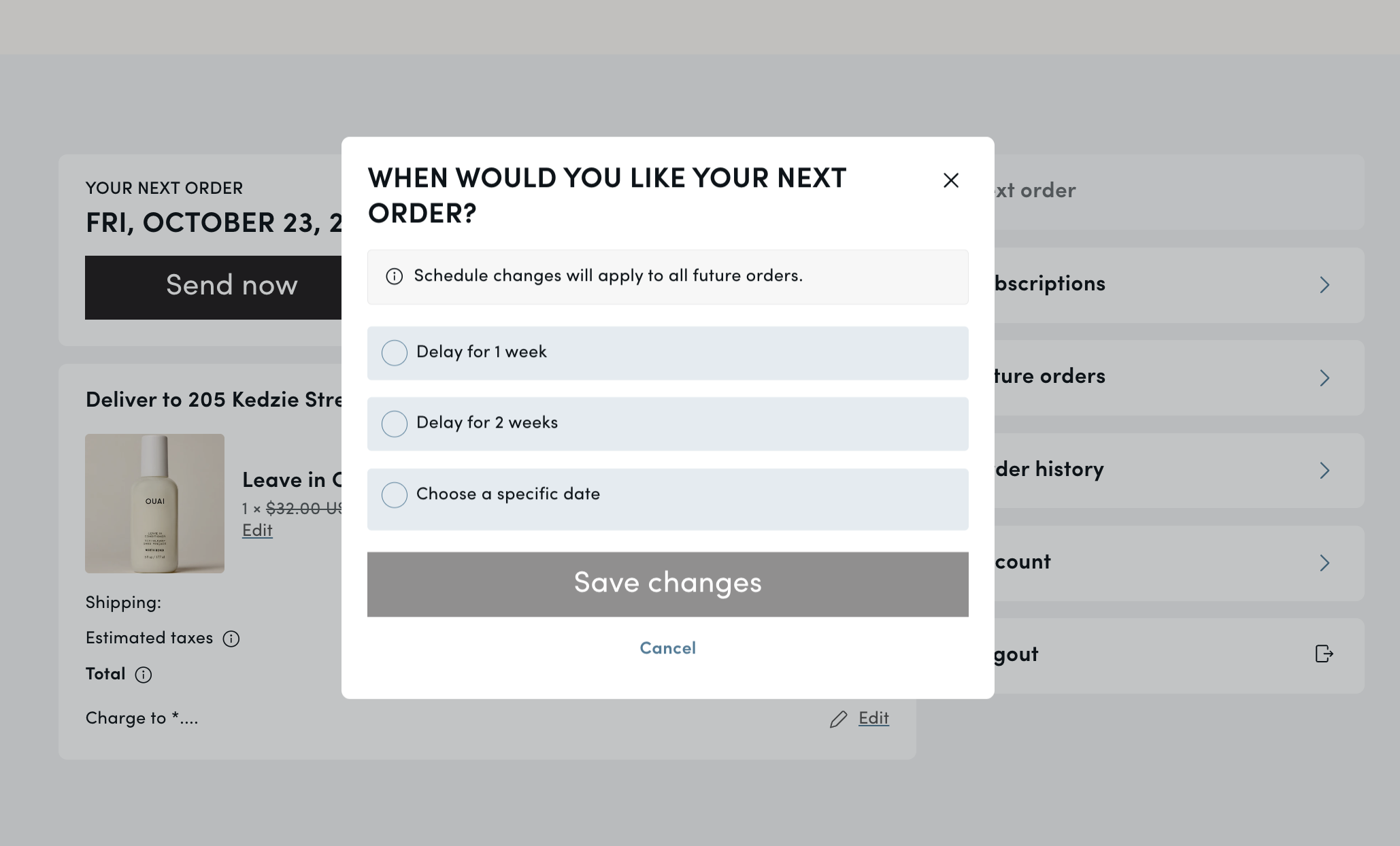
6. You may also reschedule your order to a date 1-2 weeks later or on a specific date if preferred as well, by clicking the 'Reschedule' button next to the skip option.
We hope this helped! Still have questions? Email us at [email protected] or send us a message of your choice below!