%20(1).png)
How do I cancel my subscription?Updated a month ago
No longer wishing to receive auto-shipments of your subscription products?
Instructions:
1. Sign into your OUAI account through our login page here.
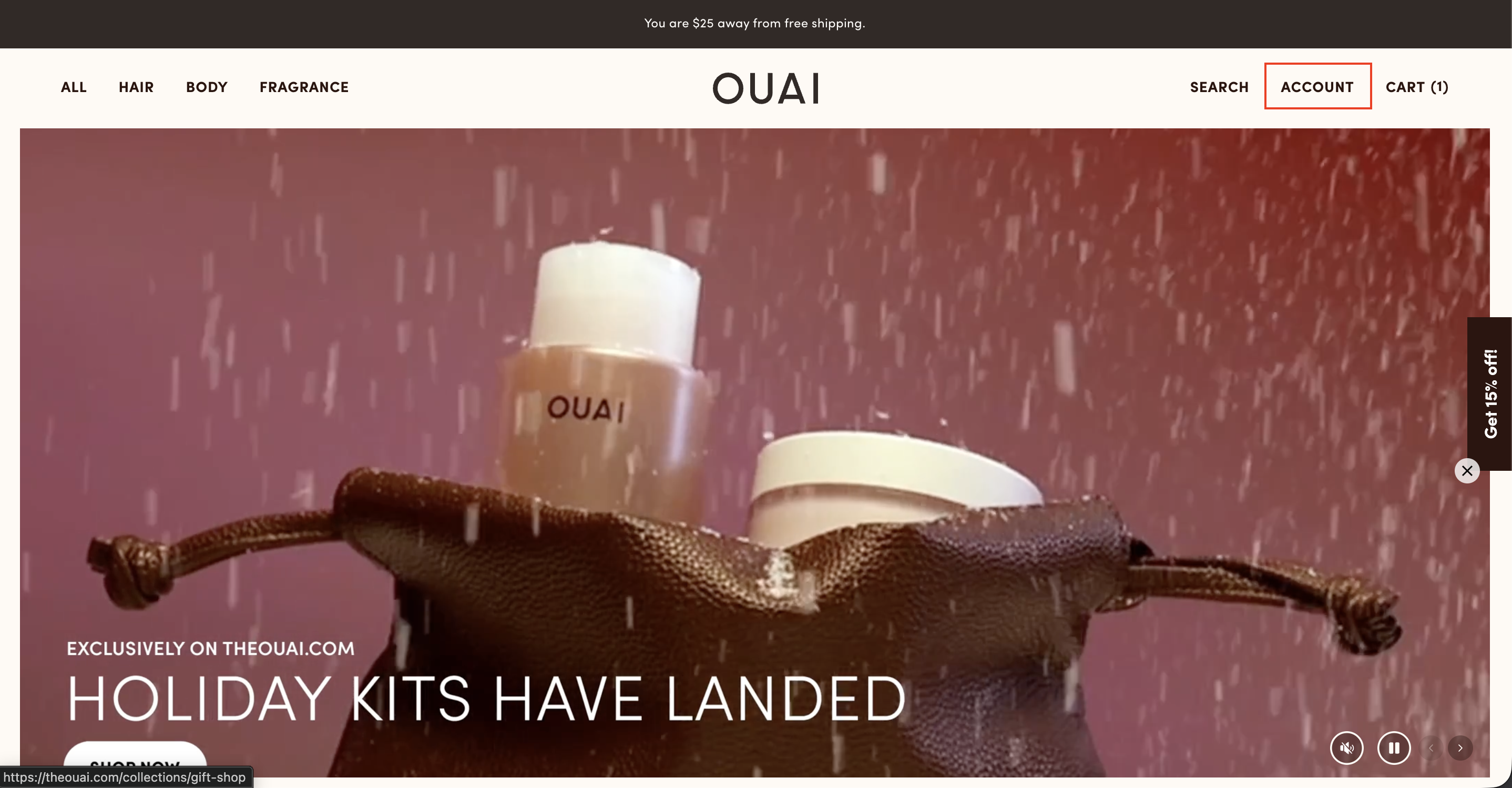
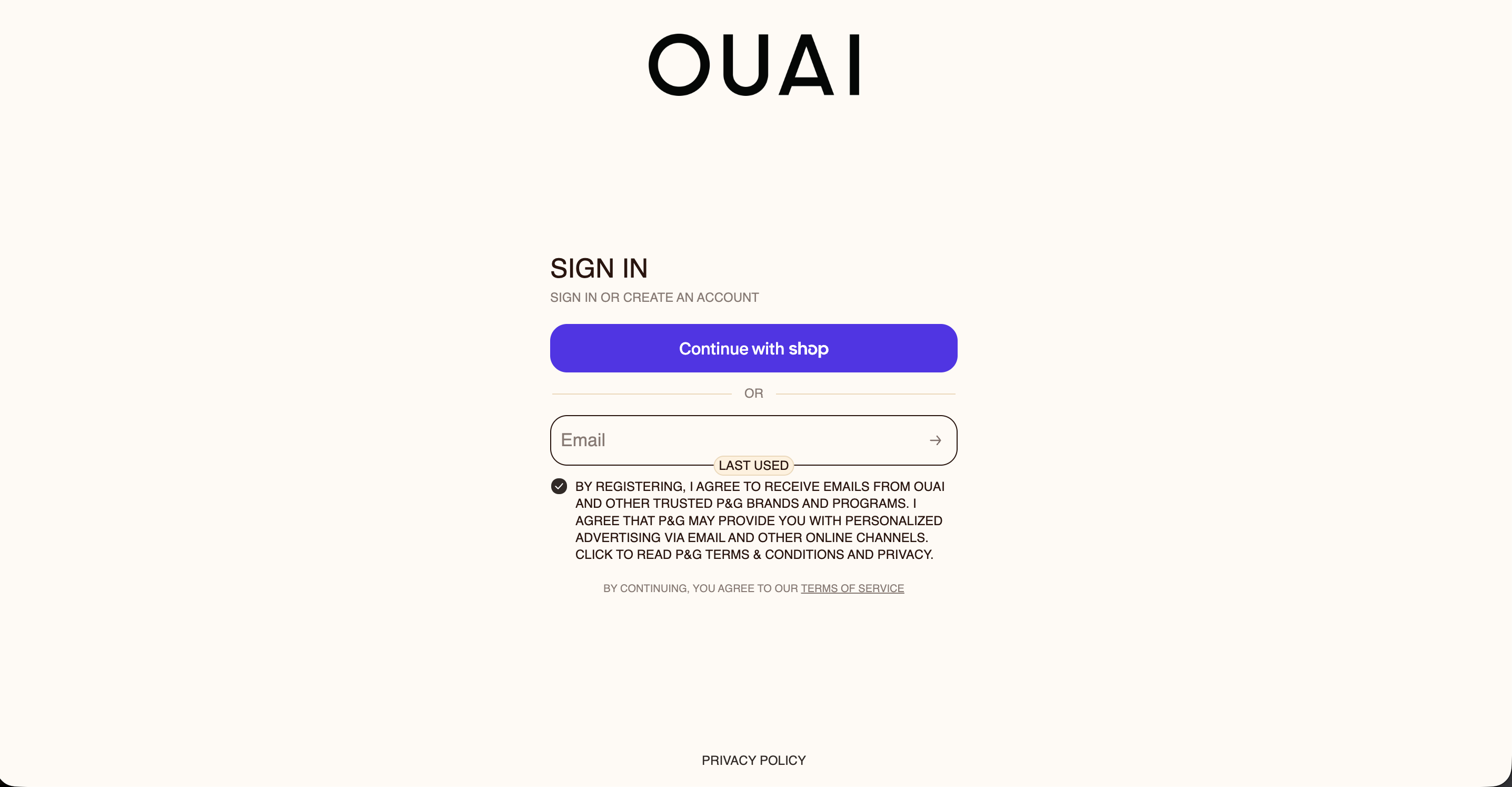
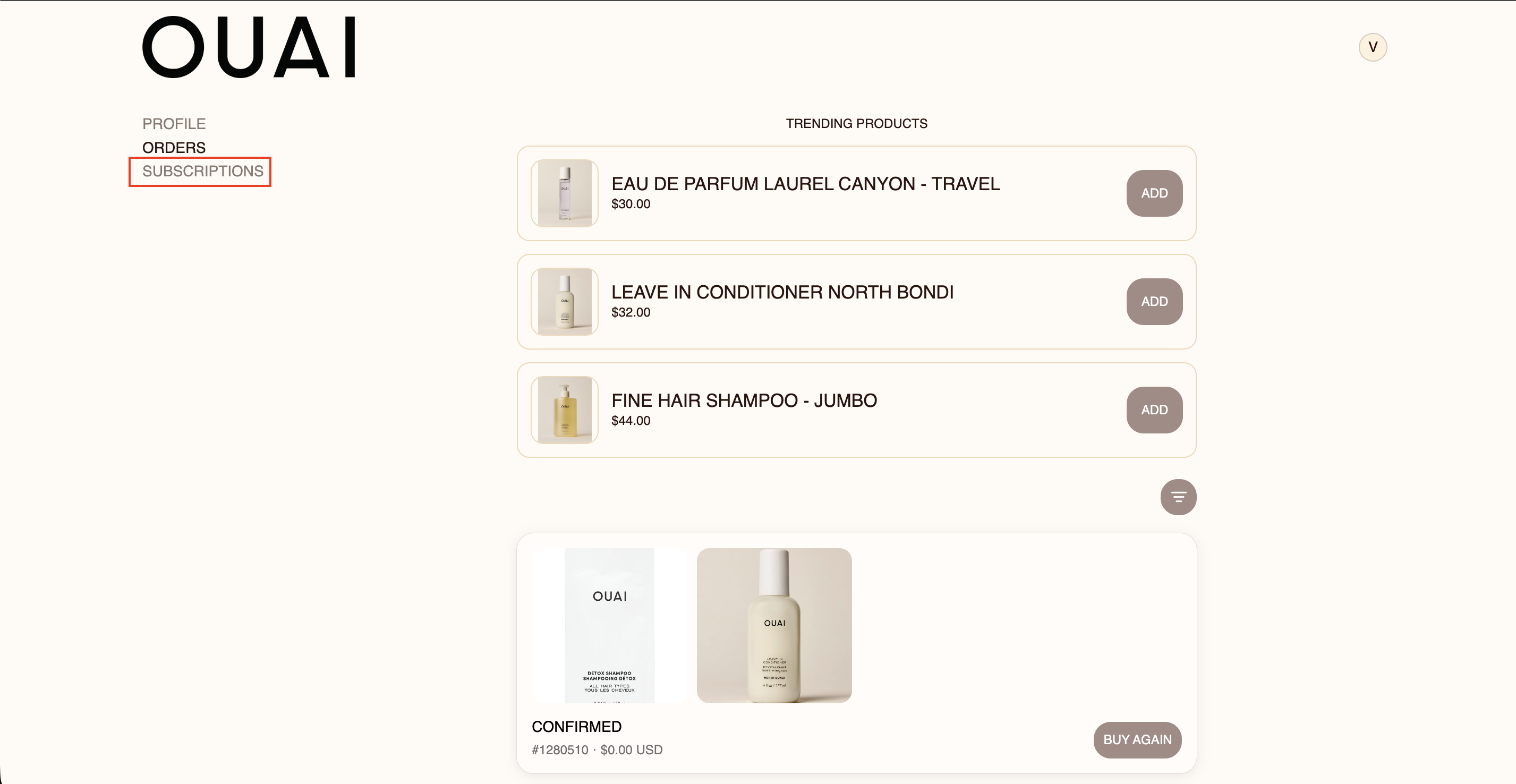
2. Once logged in, click on "Subscriptions".
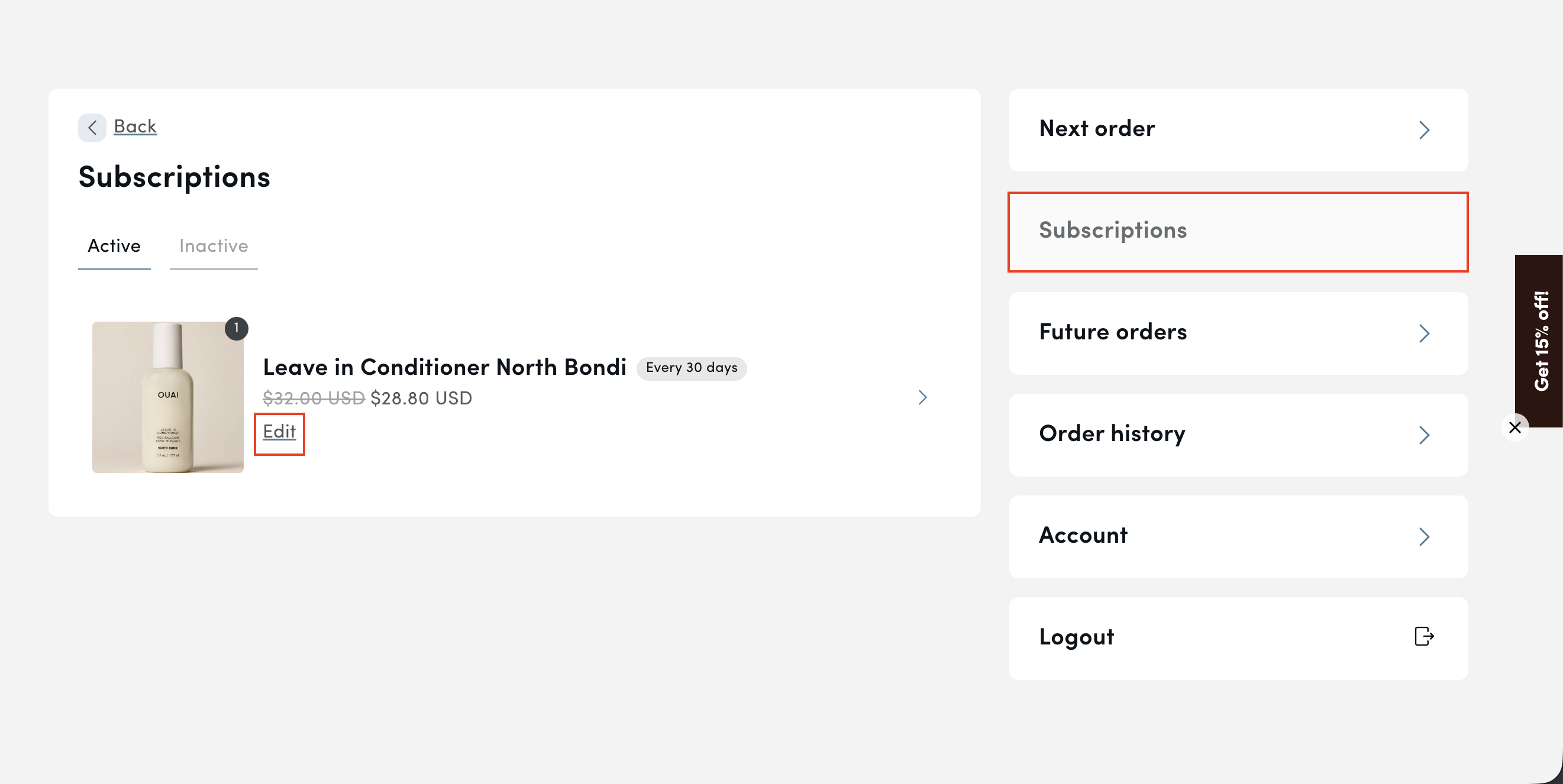
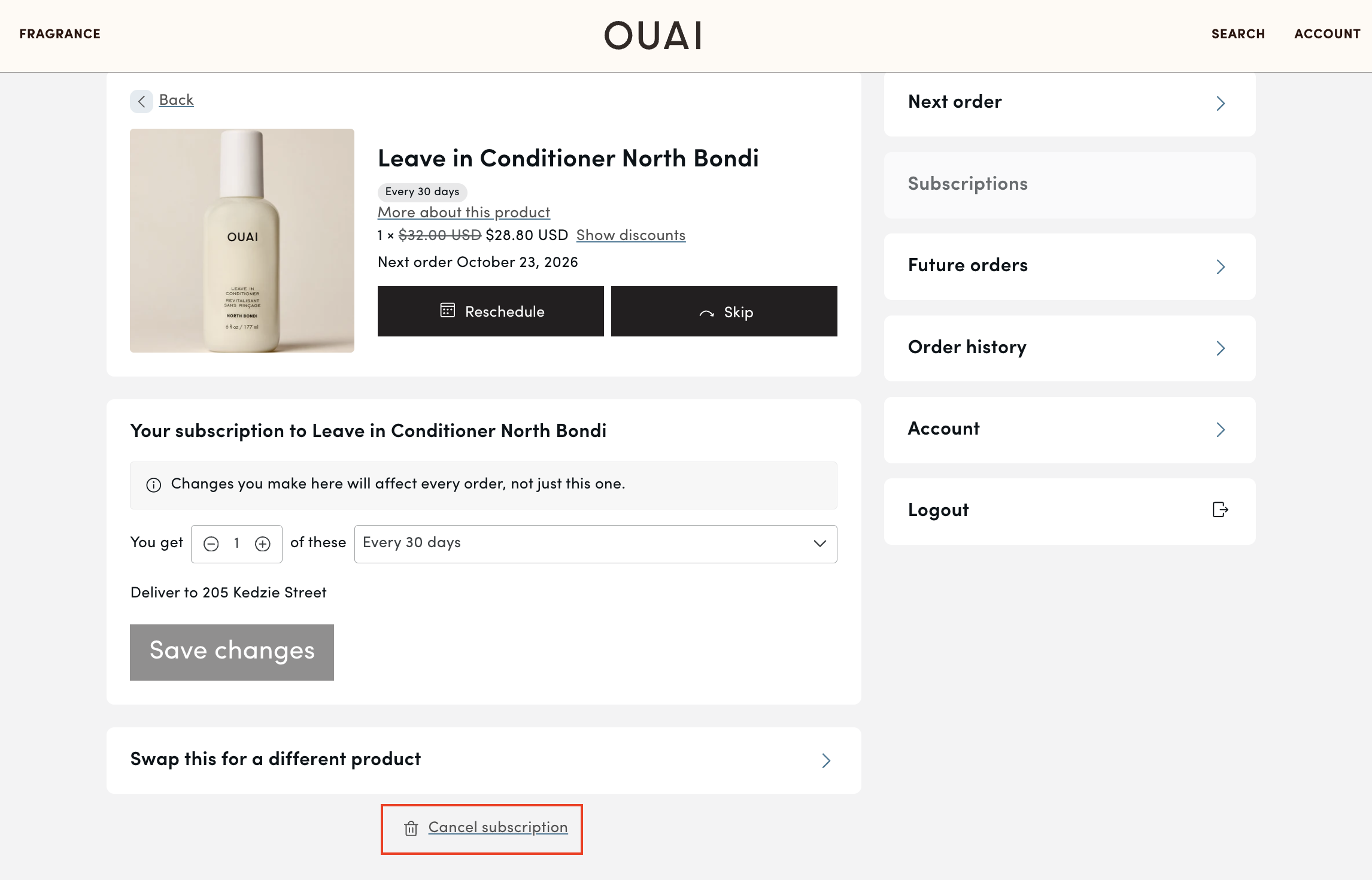
3. Click on 'Subscriptions' once more and find the subscription you are looking to cancel. Then click 'Edit' under the product name.
4. Finally, scroll down to the bottom where it says 'cancel subscription' to complete cancelation.
Having trouble finding your account or checked out as a guest? Please create an account using the same email address used to place your subscription order or feel free to email one of our OUAI Experts at [email protected] below!